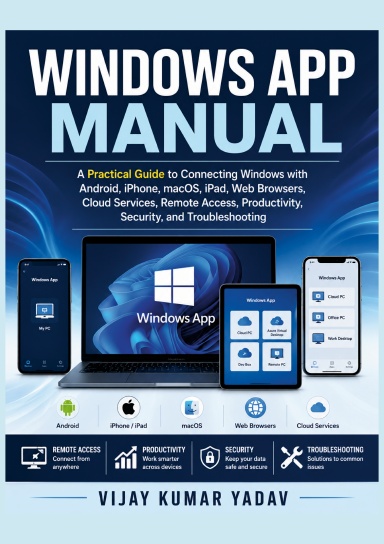
Windows App Manual
A Practical Guide to Connecting Windows with Android, iPhone, macOS, iPad, Web Browsers, Cloud Services, Remote Access, Productivity, Security, and Troubleshooting
Di solito viene stampato in 3-5 giorni lavorativi
Windows App Manual
A Practical Guide to Connecting Windows with Android, iPhone, macOS, iPad, Web Browsers, Cloud Services, Remote Access, Productivity, Security, and Troubleshooting
Access your Windows desktop from virtually anywhere with confidence using **Windows App Manual**, a practical and easy-to-follow guide for beginners, students, professionals, remote workers, developers, and IT administrators. Whether you need to connect to a Windows PC from an Android phone, iPhone, iPad, Mac, or web browser, this book provides clear, step-by-step instructions to help you get started quickly and securely.
You’ll learn how to download and install Windows App, sign in with personal, work, or school accounts, and connect to Windows PCs, Windows 365 Cloud PCs, Azure Virtual Desktop, Microsoft Dev Box, and other supported Microsoft services. The book explains the app’s interface, device management, keyboard and touch controls, multi-monitor support, clipboard synchronization, file sharing, audio and microphone redirection, and remote printing in a simple, practical manner.
Security is a major focus throughout the guide. Discover how Microsoft Entra ID, Multi-Factor Authentication (MFA), encrypted connections, Conditional Access, and other built-in security features help protect your remote sessions and sensitive information. You’ll also find performance optimization tips, troubleshooting solutions for common connection issues, accessibility features, privacy guidance, and answers to frequently asked questions.
Whether you’re working from home, managing business resources, accessing cloud desktops, or supporting remote teams, **Windows App Manual** provides the knowledge and best practices needed to use Windows App efficiently, securely, and confidently. It is an essential reference for anyone who wants to maximize productivity while staying connected across multiple devices.
Dettagli
- Data di pubblicazione
- Jul 20, 2026
- Lingua
- English
- Categoria
- Computer & tecnologia
- Copyright
- Tutti i diritti riservati - Licenza di copyright standard
- Collaboratori
- Di (autore): Vijay Kumar Yadav
Specifiche
- Pagine
- 41
- Tipo di rilegatura
- Libro a copertina morbida Libro a copertina morbida
- Colore del contenuto
- Bianco e nero
- Dimensioni
- A5 (148 x 210 mm)